AERONET Instrument Troubleshooting Interface - Solutions for ROBOT ERRORS Flag
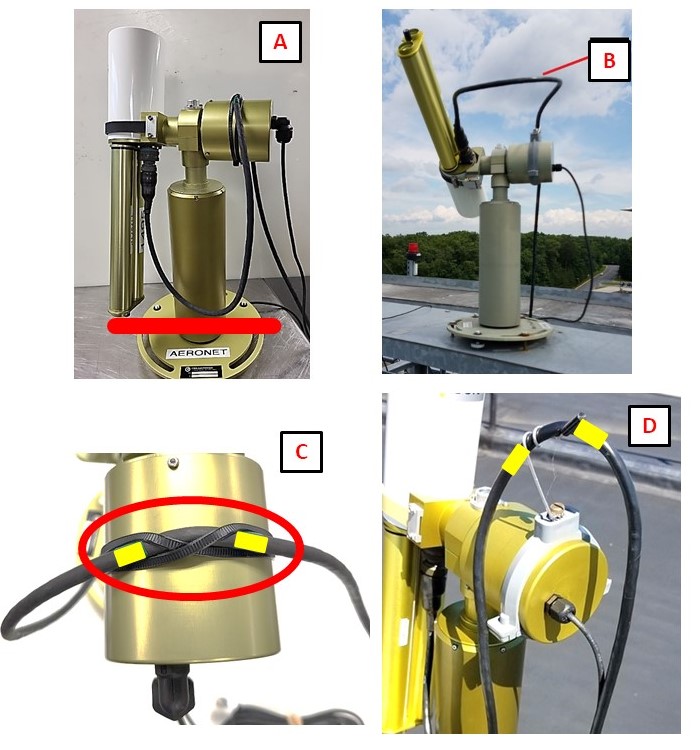
Description The two-axis robot moves the sensor head to track the sun and execute sky scans. It operates using stepper motors, which advance in discrete microsteps. When a commanded move does not reach the intended position - for example because a cable is binding the mechanism or power is insufficient - the missed steps are logged as robot errors. If caused by cable binding, they should be fixed as soon as possible to avoid damage to the robot and cables.
Condition(s) Flag if >35; or >10 any day during week
How To Check/Test Model 4 and 5: SCN > run PARK then GOSUN Model T: SCENARIOS > run PARK then GOSUN
Solution Level 1 (< 5 minutes) 1. Check for cable binding or pulling as the instrument moves. 2. Ensure that adequate 12V power is being supplied to the instrument. 3. Check/reseat the connector panel and the AZ, ZN, and power connections. Robot errors in conjunction with filter wheel or sensor head errors often indicate a problem with connections or 12V power.
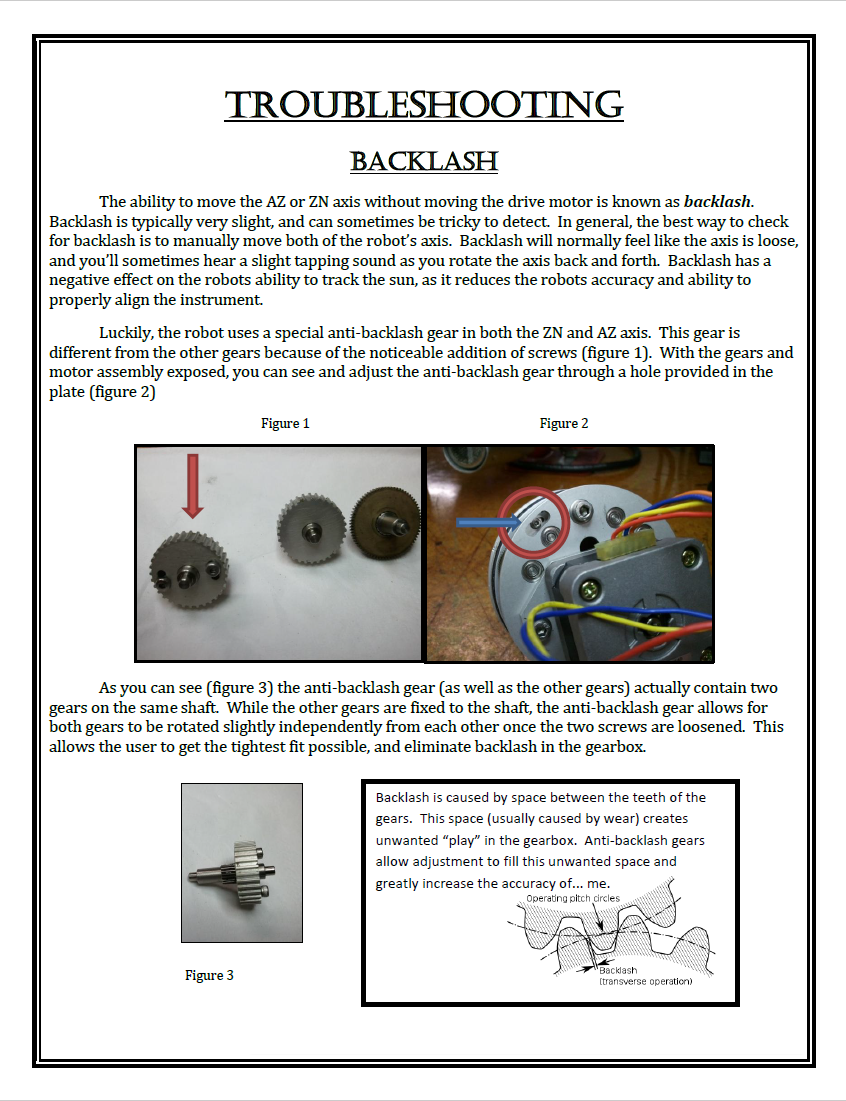
Solution Level 2 (more involved) 1. Look for abnormal movements or sounds when running PARK and GOSUN. After PARK the instrument should point towards nader and the robot claw should be level. After GOSUN the illuminated point at the base of the collimator should fall within ~1 cm of the pinhole marker. 2. Check the AZ and ZN axis for tightness. Tighten if loose (see Drive Bolt Tightening Guide). 3. Try a different connector panel (if available).